 Rollmark
Clean up your camera roll one month at a time
Rollmark is an iPhone app that sorts your camera roll one month at a time. Swipe right to keep a photo, left to let it go, up to mark the best one of the month. Nothing is deleted until you confirm in the iOS dialog, and your photos never leave the phone.
Coming soon to iPhone
Inside the app
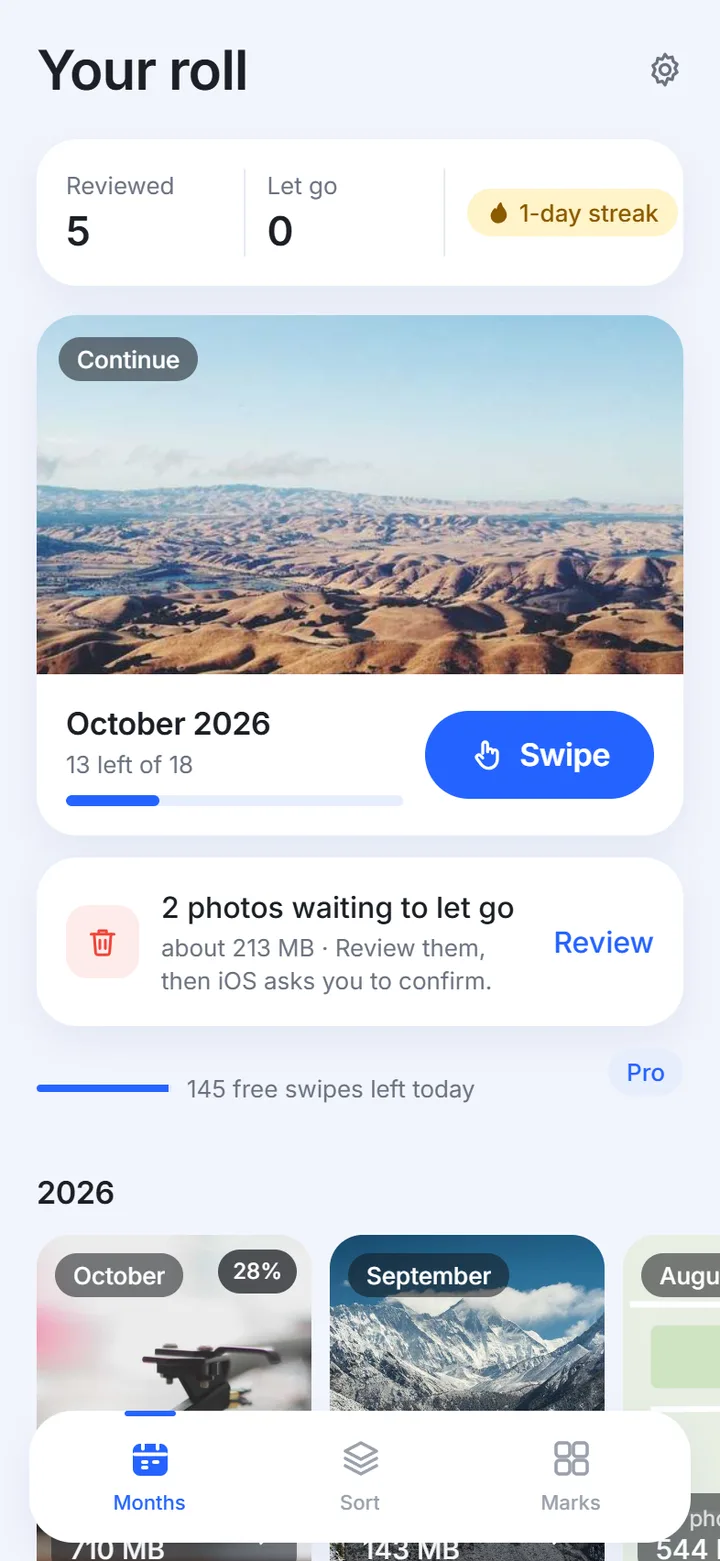
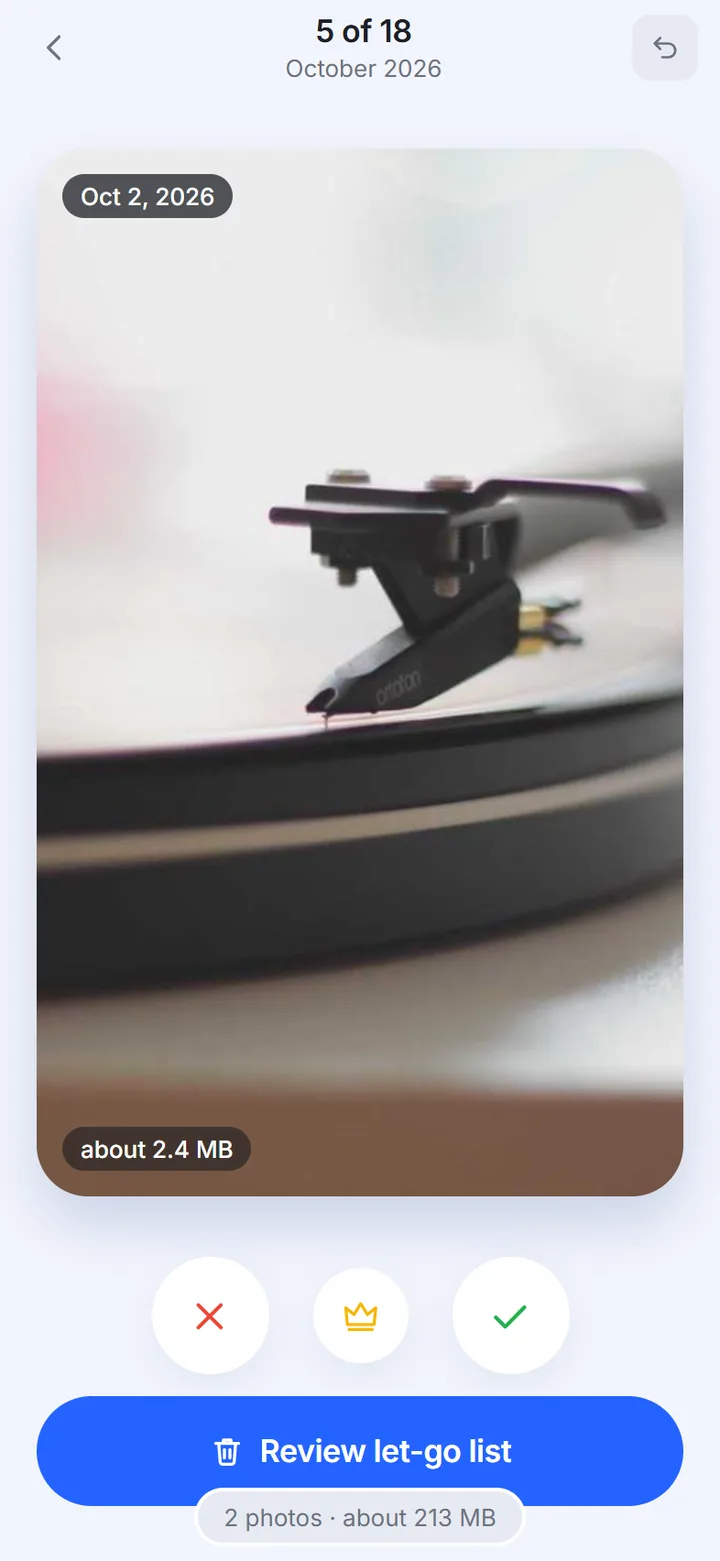
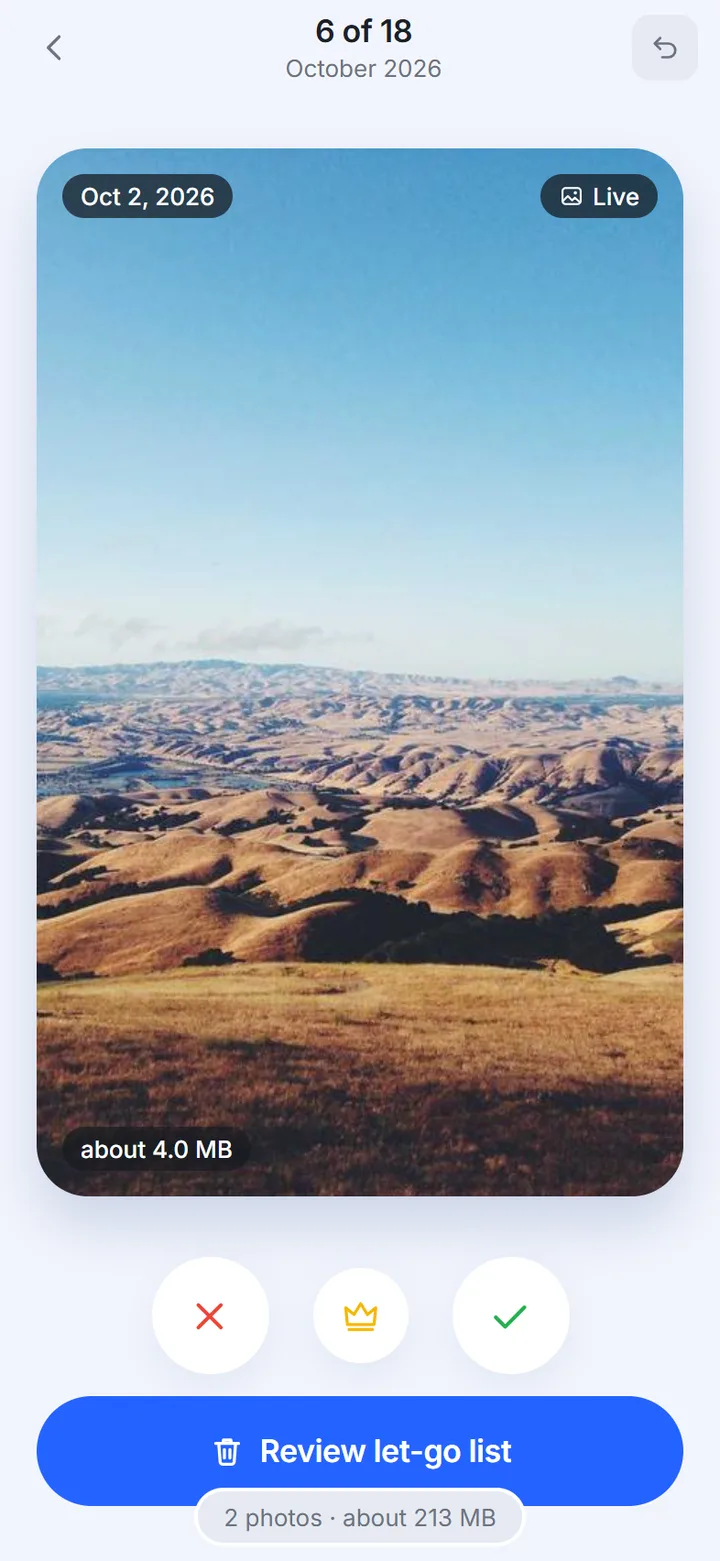
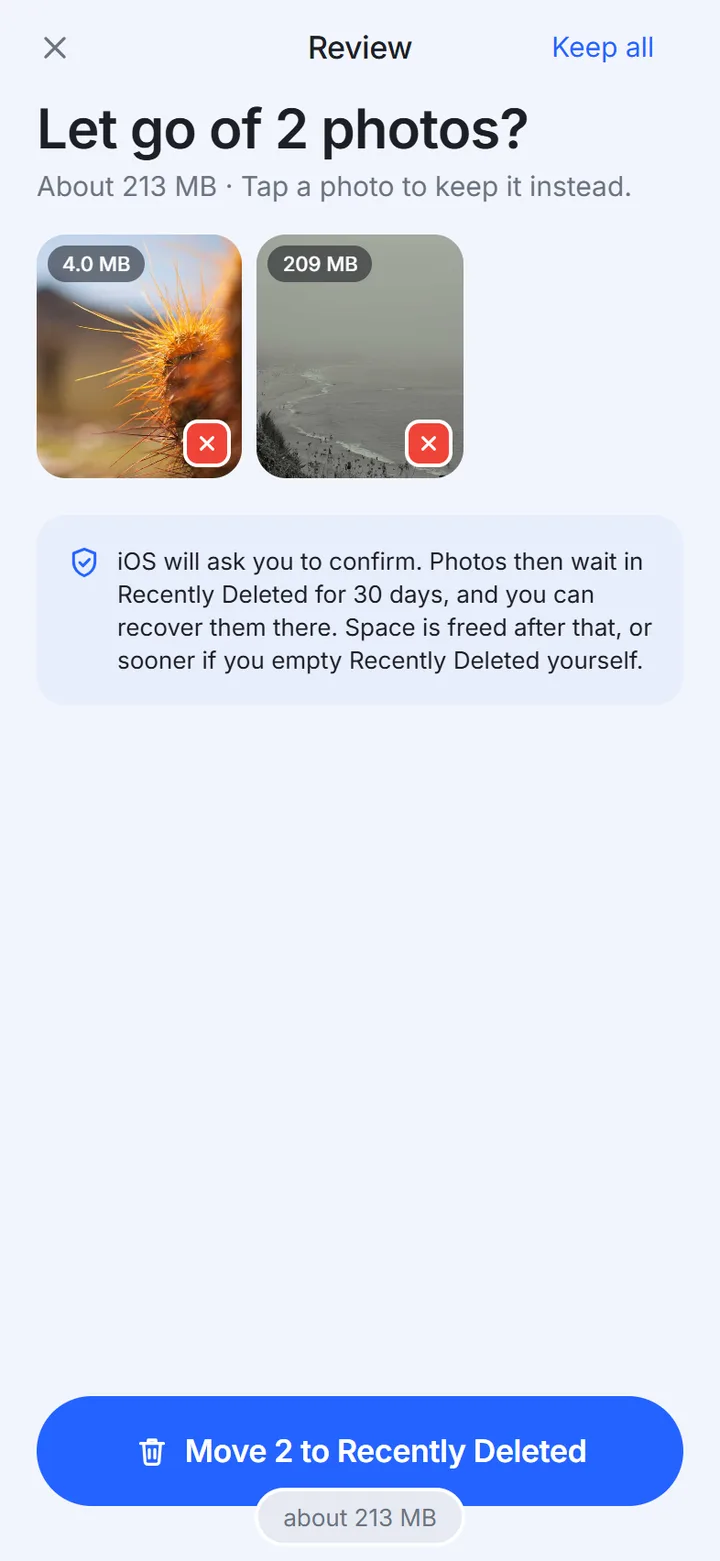
- 01Your roll with monthly progress, a Continue card and the let-go list
- 02Swipe through a month: right to keep, left to let go, up to mark
- 03Photo deck with let-go, mark and keep buttons and a running size total
- 04Review the let-go list before iOS asks you to confirm
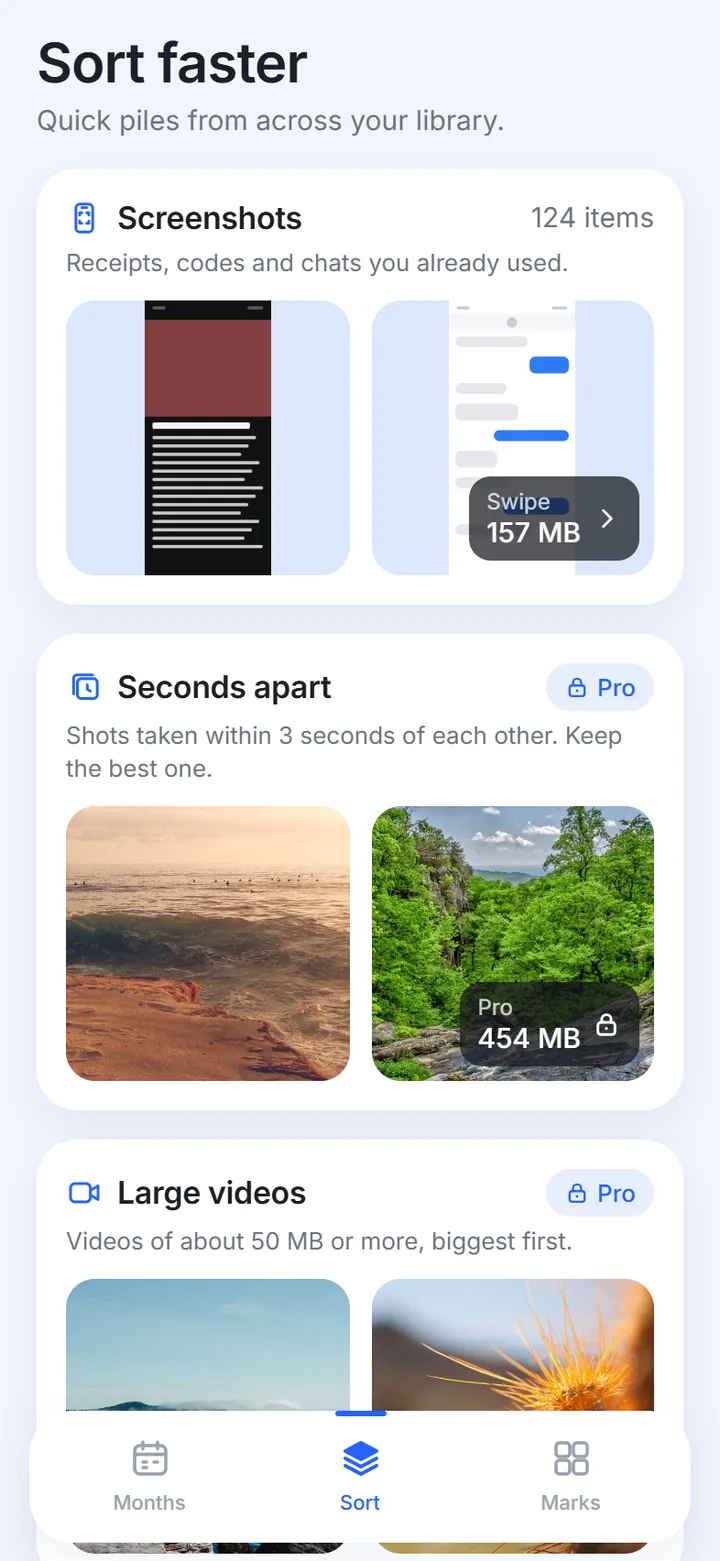
- 05Sort faster piles such as screenshots and large videos
How it works
- 1Pick a monthAllow photo access, or limit it to chosen photos. Rollmark splits your camera roll into months and opens on the current one.
- 2Swipe it downRight keeps a photo, left lets it go, up marks the best of the month. Undo goes back up to 50 steps.
- 3Review, then confirmOpen the review list, send let-go photos to Recently Deleted and confirm in the iOS dialog. They stay recoverable for 30 days.
What it does
Guides
Why sort a camera roll by month?
A library of 8,000 photos is a wall. A single month of it is an evening. Rollmark splits your roll into months and opens the deck on the current one, so the first session is short and finishes with a clear "this month is sorted" screen.
Each month card shows how many photos are left, how far along you are, and a check mark once the month is done. You can start anywhere, but progress is always measured against one month, not the whole library. More in month-by-month sorting.
How does a swipe session work?
Swipes never delete anything. They only sort photos into kept and let-go lists stored on your iPhone. Undo goes back up to 50 steps. The swipe deck page has the details.
- Allow photo access once. Limited access (a selection of photos) works too.
- Open a month. Photos arrive as a card deck.
- Swipe right to keep, left to let go, up to mark the photo that holds the month. Three buttons under the card do the same thing.
- Open the let-go list, tap any photo you changed your mind about, then confirm.
- iOS shows its own dialog. Confirmed photos move to Recently Deleted.
What is a mark?
A mark is the one photo you would keep if you could only keep one from that month. Every sorted month asks for it at the end. The marks collect in the Marks tab as a grid: one photo for each month of the year.
That grid is your Rollmark. It turns cleaning into something you can look at and share, instead of a storage number.
Is it safe to let go of photos?
Rollmark asks iOS to move photos to Recently Deleted, and iOS shows its own confirmation every time. Items stay there for 30 days and can be recovered in the Photos app. Rollmark never empties that album and never uses the word "permanently". The full flow is on the safe delete page.
What do the piles add?
The Sort tab holds four piles outside the month order: Screenshots, On this day, Seconds apart (photos taken within 3 seconds of each other in the same orientation) and Large videos (estimated at 50 MB or more, biggest first). Details are on the piles page.
Who is Rollmark for?
It suits people whose camera roll has grown past the point of browsing: thousands of photos, a full storage bar, and a feeling that sorting it is a weekend job. It also suits people who like their photos and want the good ones to surface, since each month ends with a choice of one.
It is built for iPhone only, runs on iOS 17 or later, and speaks English and Russian. Read the guides if you want the method without the app.
What is free and what is Pro?
The free plan includes 150 swipe decisions a day, every month, the Screenshots and On this day piles, undo, the review list, marks and all four share cards. The count refills at local midnight.
Pro removes the daily limit and adds the Seconds apart and Large videos piles. It is offered as a weekly or yearly subscription, or a one-time lifetime purchase, with prices shown in the app. The yearly plan may include a free trial for eligible users.
What happens to my data?
Rollmark has no account and no server that stores your data. It contains no analytics and no ads. Decisions, marks and counters live on the iPhone. Purchases go through Apple, and the app checks Pro status with a billing service using an anonymous user id. Read the privacy policy for the full list.
Frequently asked questions
What is Rollmark?
Rollmark is an iPhone app for sorting your camera roll one month at a time by swiping. You keep, let go, or mark each photo, then review a list before iOS asks you to confirm the move to Recently Deleted.
Does Rollmark delete photos by itself?
No. Swipes only sort photos into lists on your phone. Photos move to Recently Deleted only after you confirm in the dialog that iOS shows, and they stay there for 30 days.
Do my photos get uploaded?
No. Photos and their details stay on your iPhone. The app has no account, no analytics and no ads.
Is Rollmark free?
You can download it free. The free plan has 150 swipe decisions a day and covers every month, marks and share cards. Pro is optional and removes the daily limit.
Which languages and devices does it support?
The app is available in English and Russian and runs on iPhone with iOS 17 or later. It has no iPad layout.
When is it on the App Store?
It is in development and not on the App Store yet. This site will link to the listing when it goes live.